



Xerox® Print and Scan Experience
in SolutionsXerographic Solutions Ltd Nicosia
Monday to Friday 8:00 - 17:00

Xerographic Solutions Ltd Limassol
Monday to Friday 8:00 - 17:00
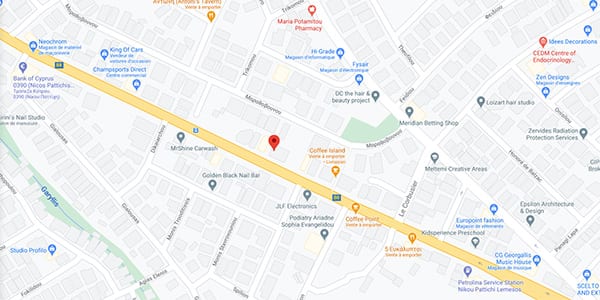
Xerographic Solutions Ltd Larnaca
Monday to Friday 8:00 - 17:00


Simplify your document workflows with Xerox® Print and Scan Experience
Printing and scanning reimagined for hybrid environments.
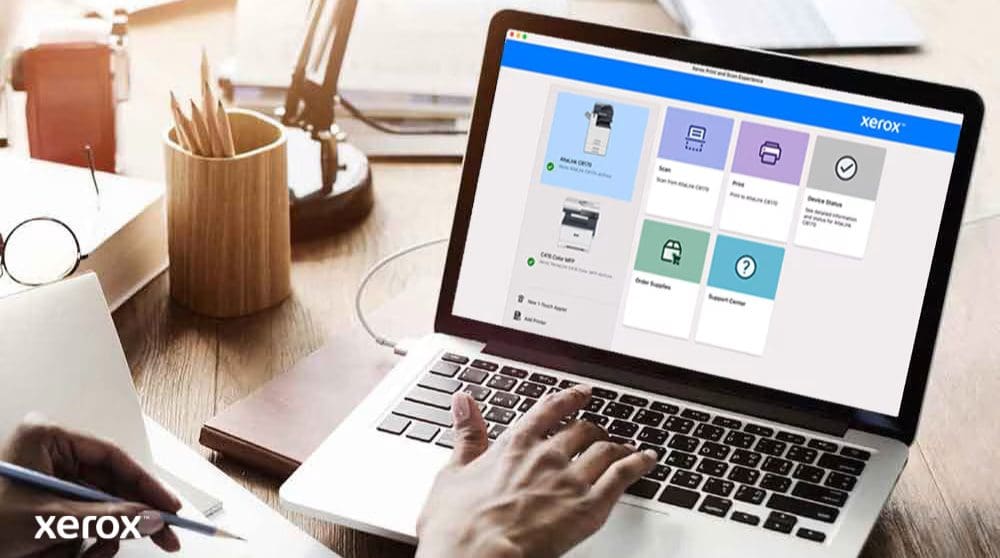
Printing or scanning should never be complicated. With Xerox® Print and Scan Experience, you can access all the advanced features of your Xerox® printer from a single application — with no complex setup required.
Designed for hybrid working environments, the app provides a smooth, consistent and intuitive experience across Windows 10/11 and macOS.
Automatic printer detection, simplified installation, OCR, preview, editing tools, shortcuts — everything is built to help you work efficiently, wherever you are.
Why choose Xerox® Print and Scan Experience?
- Simplified setup: automatic printer detection and one-click driver installation.
- Guaranteed compatibility: includes the Print Support App (PSA) for support of those using IPP with Windows Protected Print Mode or Universal Print drivers.
- Perfect for hybrid work: seamless productivity, regardless of location or workstation.
- Workflow Central access: connect via XPSE to simplify workflows and easily convert files into actionable formats.
Key features
- Preview and built-in editing: crop, straighten, remove blank pages, adjust brightness and contrast.
- Integrated OCR: scan documents and convert them into searchable PDF or audio files.
- Workflow automation: create custom shortcuts and combine multiple settings into a single command.
- Signatures and annotations: sign, date and comment on your documents directly within the app.
- Secure PDFs: protect your scanned files with a password.
- Printer monitoring and supply ordering: access maintenance information and support services in just a few clicks.
- Eco-friendly printing: customise settings to reduce environmental impact while printing.
How does it work?
- Download the app from the Microsoft Store or Apple App Store.
- Let it automatically detect your Xerox® printer.
- Install the appropriate print and scan drivers.
- Use the interface to preview, edit, print or scan.
- Add shortcuts, optimise your workflows, and automate your tasks.
Productivity & user experience

A consistent experience for all your users
With Xerox® Print and Scan Experience, you provide your entire team — whether at headquarters, working remotely or on the move — with the same level of simplicity, performance and reliability.
The unified interface, native compatibility with Windows/Mac standards, and automation of document tasks help you:
- Reduce support requests.
- Save time on repetitive tasks.
- Ensure immediate adoption — no training required.